

To enter Tanzania, you will need an approved Tanzanian Visa. This guide shows you step by step how to complete the Visa Application Process.
Be sure to keep this tab open so that you can follow the instructions at each step of the process.
STEP 1
Copy and paste the link below in a new tab in your browser window to begin this process
https://immigration.go.tz
STEP 2
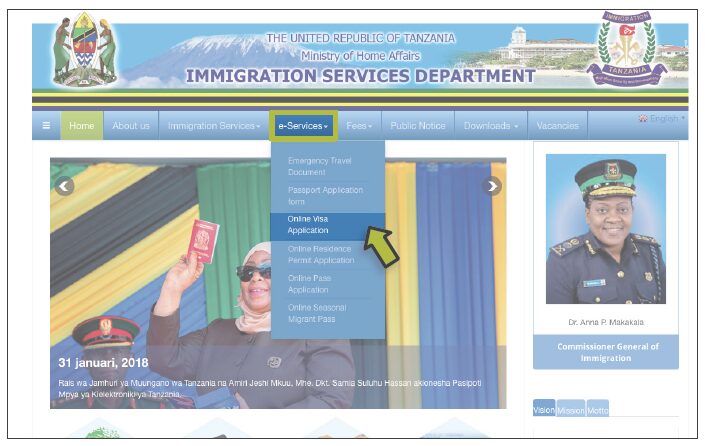
After copying and pasting the link provided above, hover over e-Services and click on Online Visa Application
STEP 3
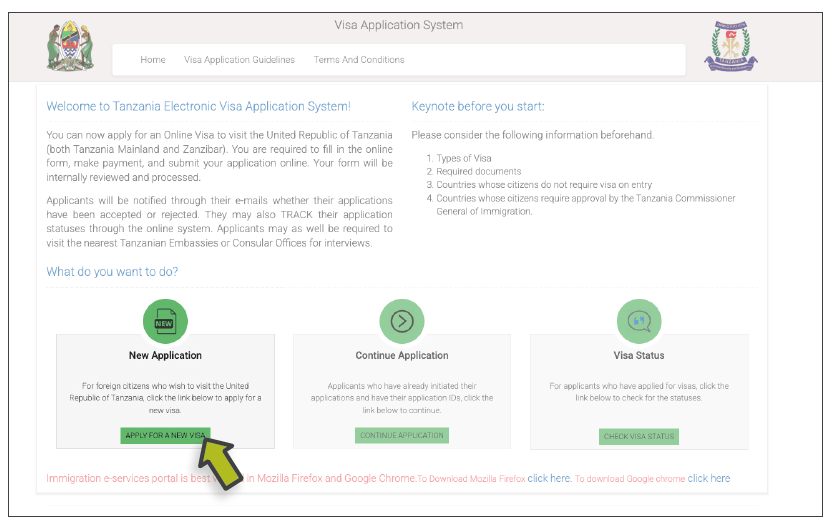
On the page that follows, select New Application
STEP 4
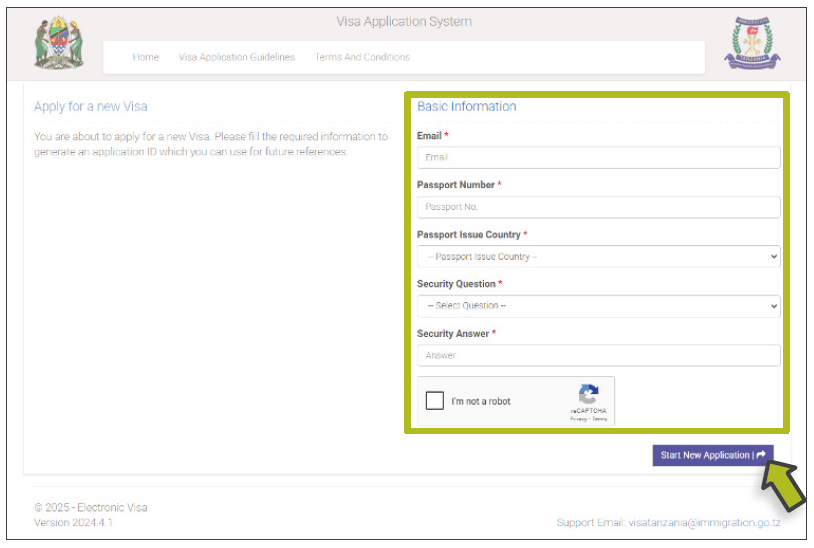
Fill in your Basic Information, making sure to save your security questions, then select Start New Application
STEP 5
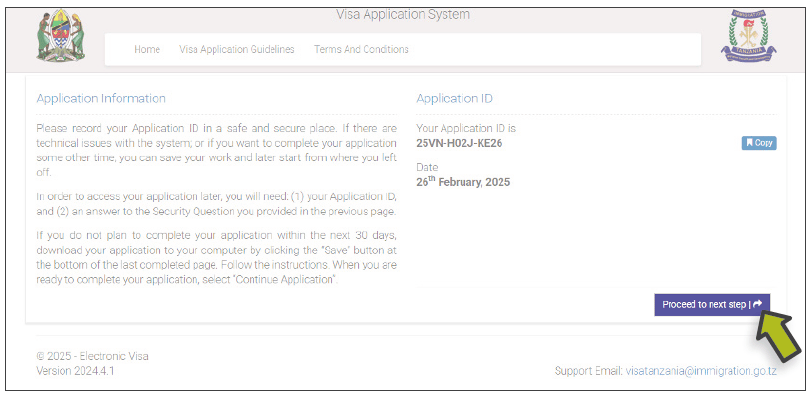
Make sure to save your Application ID, then select Proceed to next step.
STEP 6
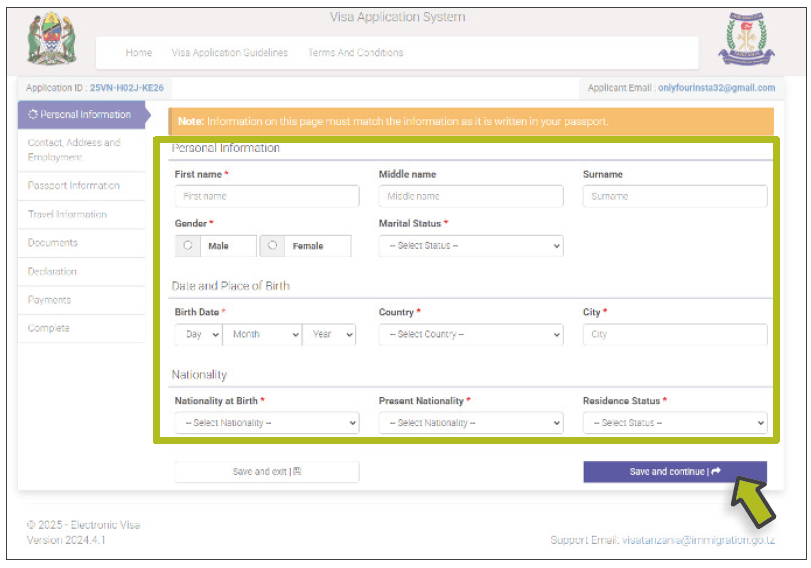
Fill in your Personal Information, then select Save and Continue
STEP 7
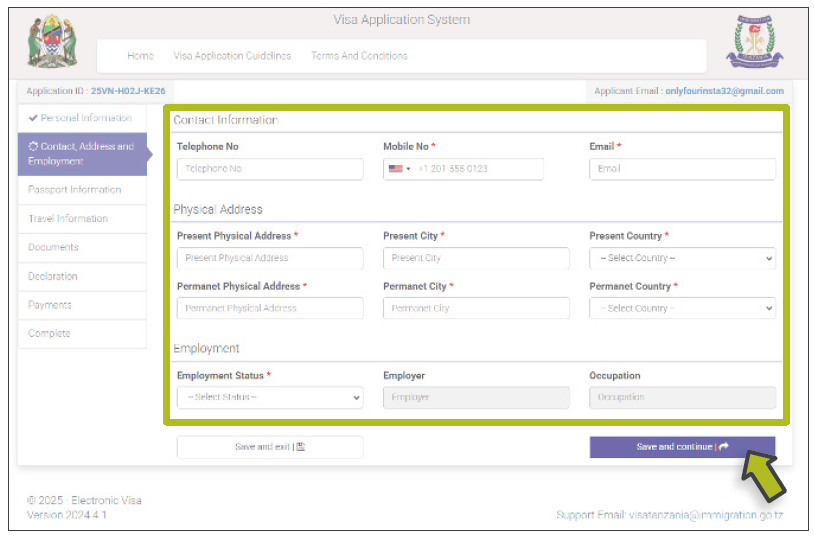
Fill in your Contact Information, then select Save and Continue
STEP 8
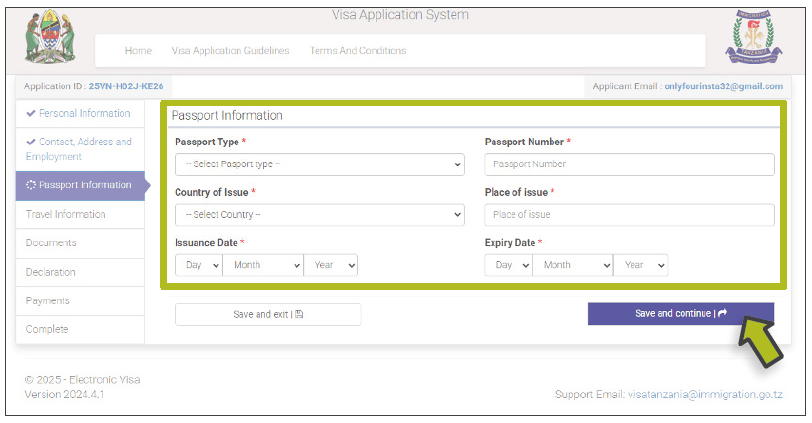
Add your Passport Information then select Save and Continue
STEP 9
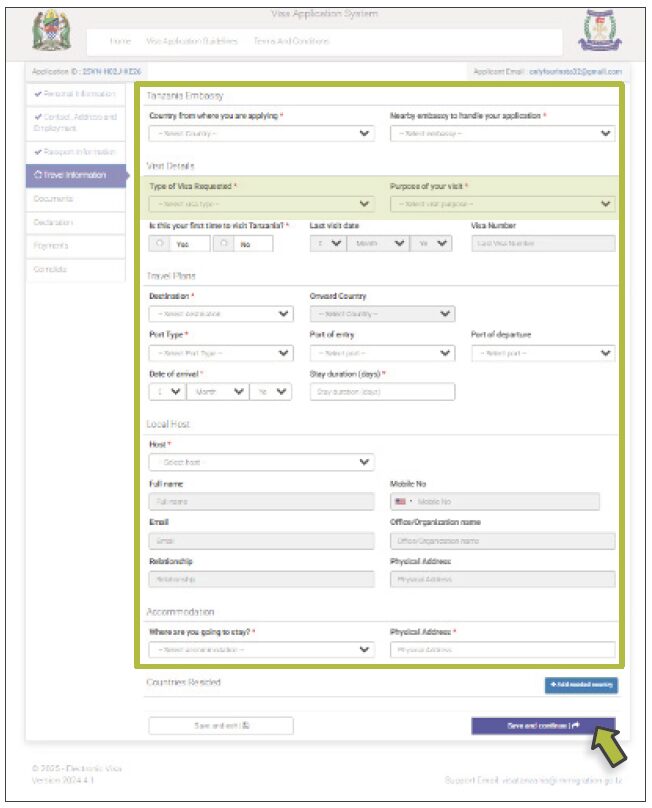
Fill in your Travel Information using the information from your itinerary. Please select multiple entry visa- purpose: holiday/tourism. Then select Save and Continue.
NOTE: Only US passport holders need to apply for a multi-entry visa.
STEP 10
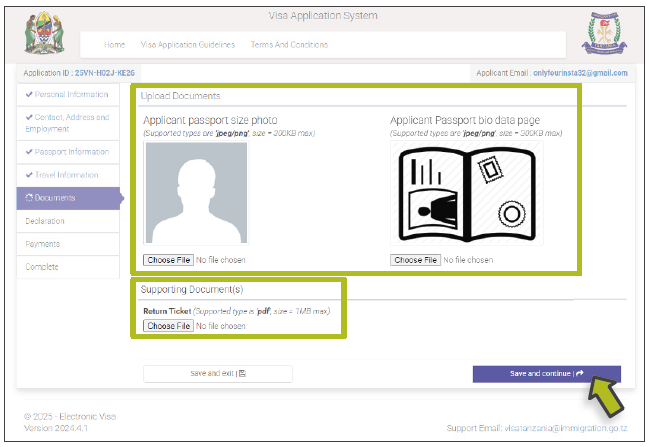
Upload your passport photo and passport bio page in their respective fields. Upload the Itinerary in the Supporting Document(s) section, then select Save and Continue.
STEP 11
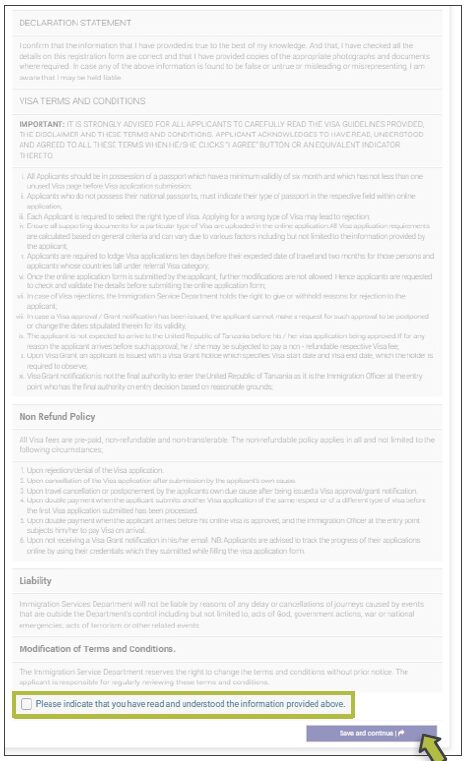
Review your information then scroll down to the Declaration section. After reading the declaration, check the box at the bottom of the page and select Save and Continue.
STEP 12
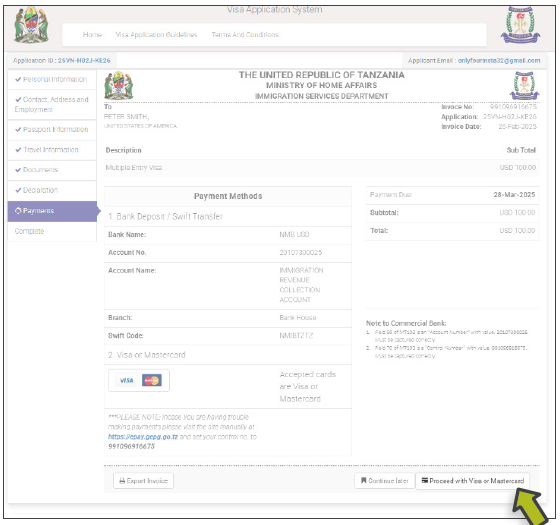
Review the payment section and select Proceed with Visa or Mastercard
STEP 13
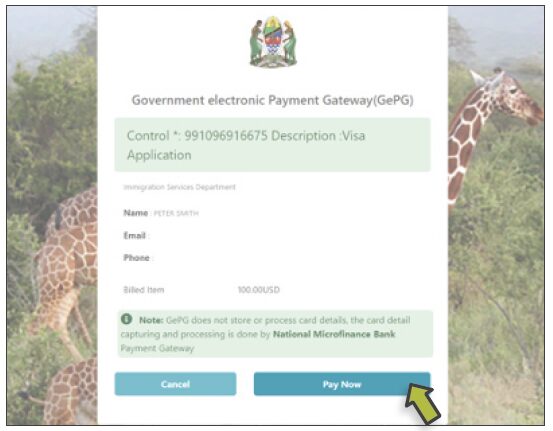
Select Pay Now and proceed with payment
STEP 14
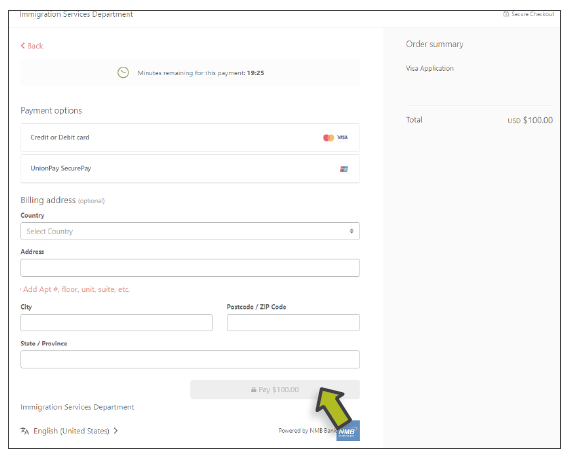
Enter your payment information and select Pay to complete your application
That’s it! You’re done!
If you get stuck, please email your consultant for assistance.
Liesl Matthews
Ilze Fox
Camille Rowe
Lise Kargaard